

Everything you record can be changed or removed right up until the report is submitted.
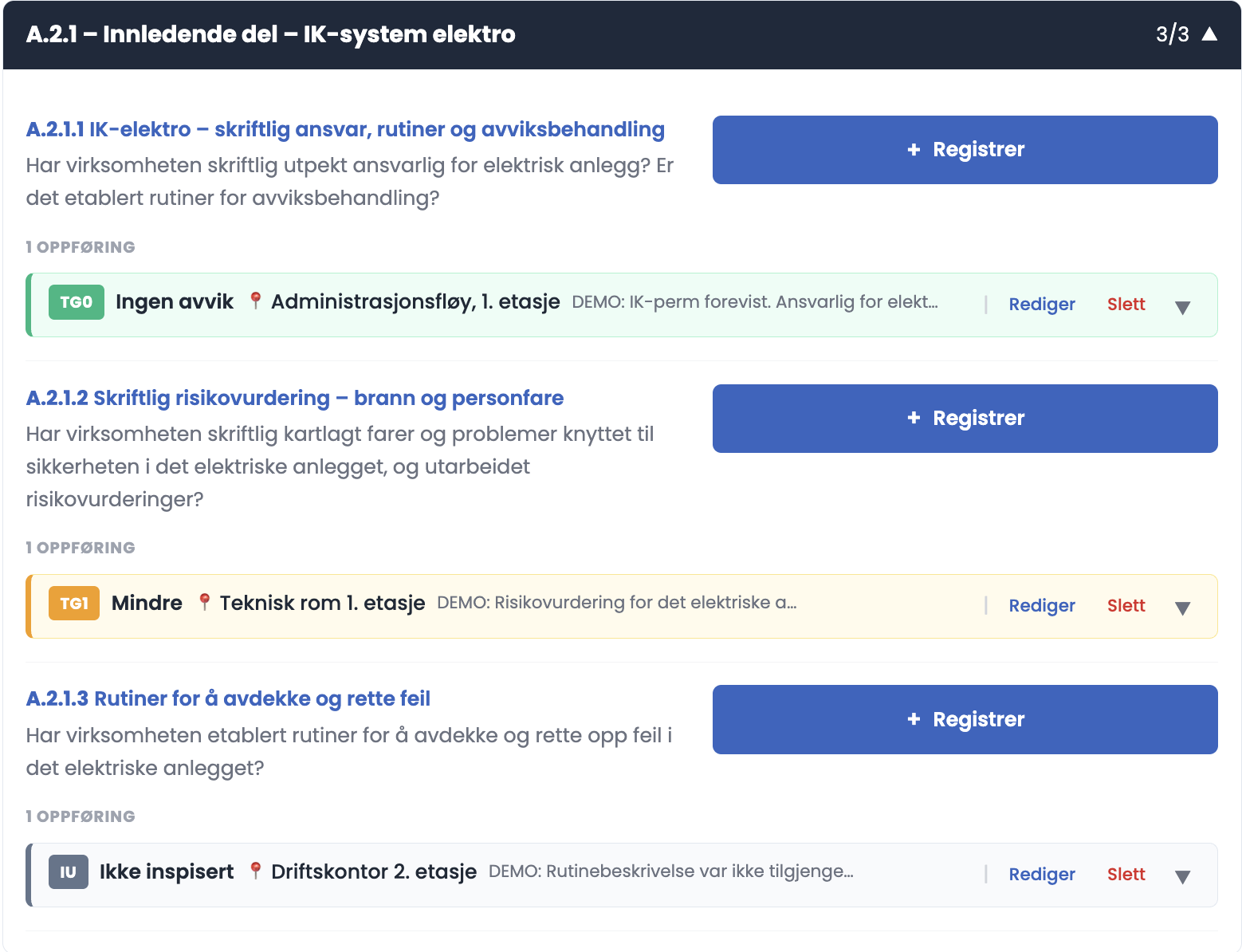
How to do it
- Find the entry line under the inspection point.
- Click "Edit" to change it, or "Delete" to remove it.
- Click the arrow on the right to expand the line and see the whole entry.
Good to know
- The line shows the grade, the location and the start of the comment, truncated. The arrow shows the rest.
- One inspection point can have several entries. The text "1 ENTRY" above the lines says how many.
- If you delete the only entry on a point, the point goes back to Not recorded, and the counter in the summary adjusts.
Tips
- Expand the entry and read it through before you submit. It is easier to spot an unclear wording in the expanded view than in the truncated line.
- If you need to change a grade from TG2 to TG3 or the other way round, edit the existing entry instead of deleting it and making a new one. Then you don't lose the photos.
Can I correct something after submission?
No. Submission locks the report, and the Register, Edit, Delete and Get AI summary buttons all disappear. That is why the read-through before submission is worth the time.