

The first section is largely prefilled from the service agreement. Your job is to check it and fill in what is missing.
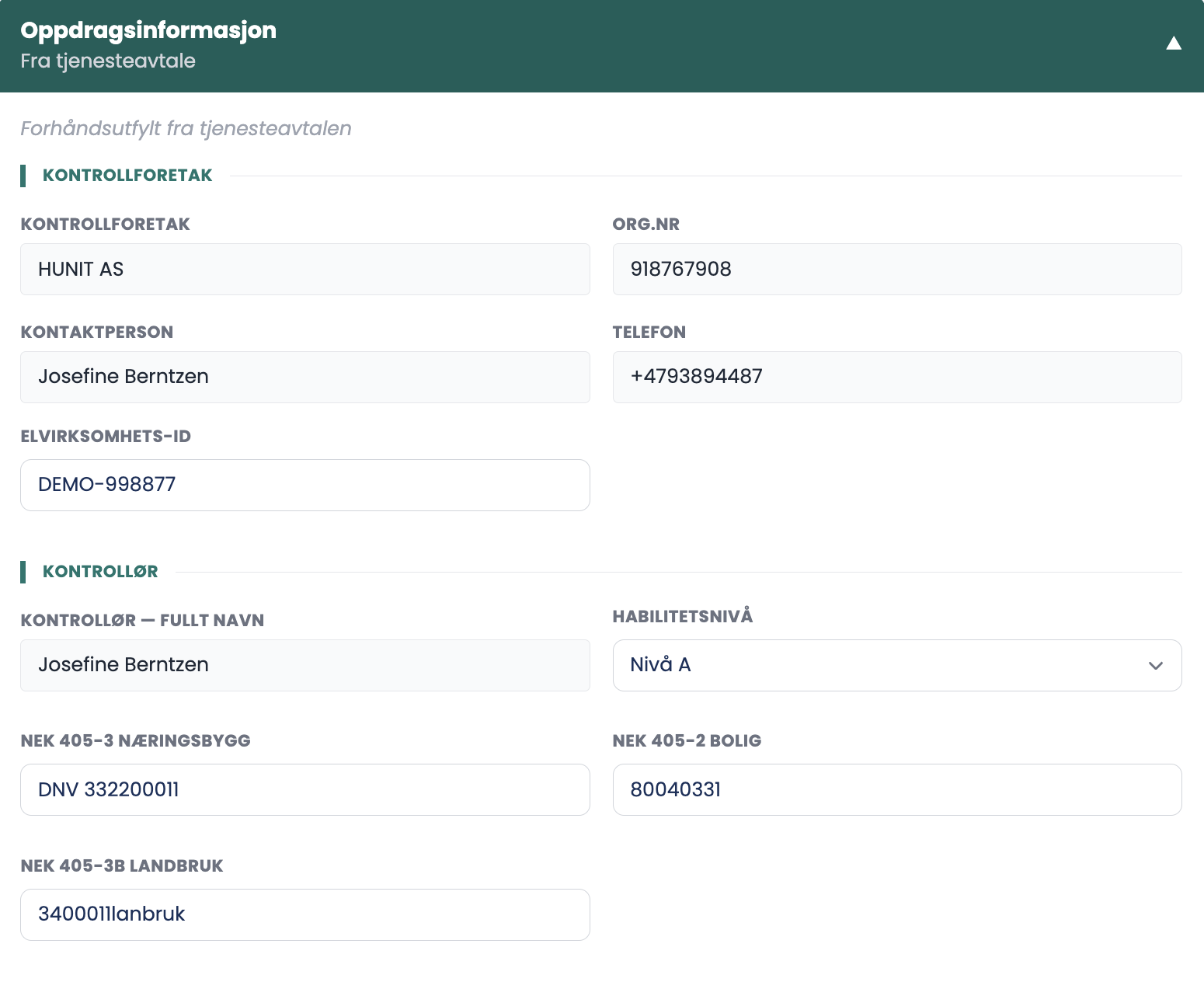
Inspection company
- INSPECTION COMPANY, ORG. NO., CONTACT PERSON and PHONE are filled in automatically.
- ELECTRICAL ENTERPRISE ID is filled in manually. It is normally the only field you have to type yourself in this block.
Inspector
- INSPECTOR — FULL NAME comes from the user assigned to the task. If the name is wrong, the task is assigned to the wrong person.
- INDEPENDENCE LEVEL is chosen from the dropdown and stays on "Select…" until you set it.
| Level | Meaning |
|---|---|
| Level A | Independent |
| Level B | Limited |
| Level C | Not independent |
| Level D | Owner/user |
Certificates
- The certificate numbers for NEK 405-3 commercial buildings, NEK 405-2 residential and NEK 405-3B agriculture are stored on your profile and filled in automatically.
Contractor and owner
- Name and org. no. are taken from the agreement.
- If a contact person or phone number is missing, a dash is shown. That is not an error, but it means the report goes out without a person to contact.
Tips
- Read through the prefilled fields even if they look right. If the agreement was written with the wrong details, the error follows it here.
- Set the independence level deliberately. It is a declaration of your independence, and it appears in the report.
- If the contractor has no contact person, get one before you submit. The dash stays in the report.
I corrected a field here. Does the service agreement change?
No. The form and the agreement are two different documents. A correction in the form applies to the report, not to the agreement. If it is the agreement that is wrong, that has to be handled separately.