

All 70 points are recorded the same way. You click "+ Register" at the point and choose one of three ways to close it.
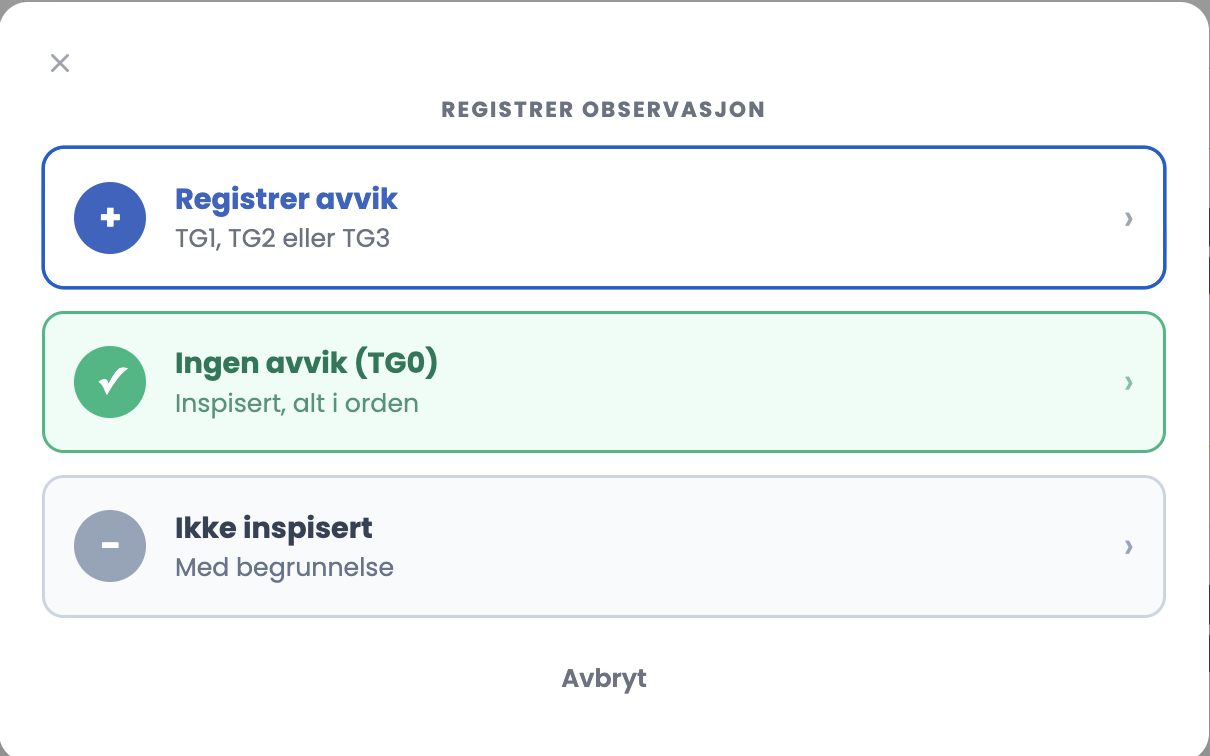
| Option | When you use it | Grade |
|---|---|---|
| Register deviation | You have found something | TG1, TG2 or TG3 |
| No deviations | You have inspected the point, everything is in order | TG0 |
| Not inspected | The point could not be assessed | IU, with a reason |
No deviations (TG0)
- Choose "No deviations (TG0)".
- Fill in the location if you want – it is optional here – and a comment documenting what you inspected.
- Attach photos if needed.
- Click "Save deviation / comment". The point gets a green line marked TG0, and the counter updates.
Not inspected (IU)
- Choose "Not inspected".
- Give the location if relevant, and choose a reason. The chosen reason is marked with a blue border.
- Write a comment that explains it, and save. The point gets a grey IU marking.
The six reasons
- Not accessible
- Out of service
- Behind a cover / concealed
- No documentation available
- Safety risk prevented inspection
- Other (see comment)
Tips
- Write a comment on TG0 as well. "Inspected, nothing found" is thin a year later. "Circuit schedule presented and matches the installation" is not.
- IU is not a shortcut. Every IU point is something the owner has to follow up, and it appears in the report. Use it when it is true, and write why.
- If you choose Other as the reason, the comment has to carry the whole explanation. No other field says anything then.
Are TG0 and "Not recorded" the same thing?
No, and the difference matters. TG0 means you inspected the point and found nothing. Not recorded means the point was not assessed. Both are valid outcomes. If the point falls outside the scope you and the client agreed on, "Not recorded" is the correct state, and the scope should then be described in the assignment agreement or in the conclusion. If you simply skipped the point, it stands as "Not recorded" in the report with no explanation, and that is a different thing.