

Here you record objects that could not be assessed, so that the report shows what is outstanding.
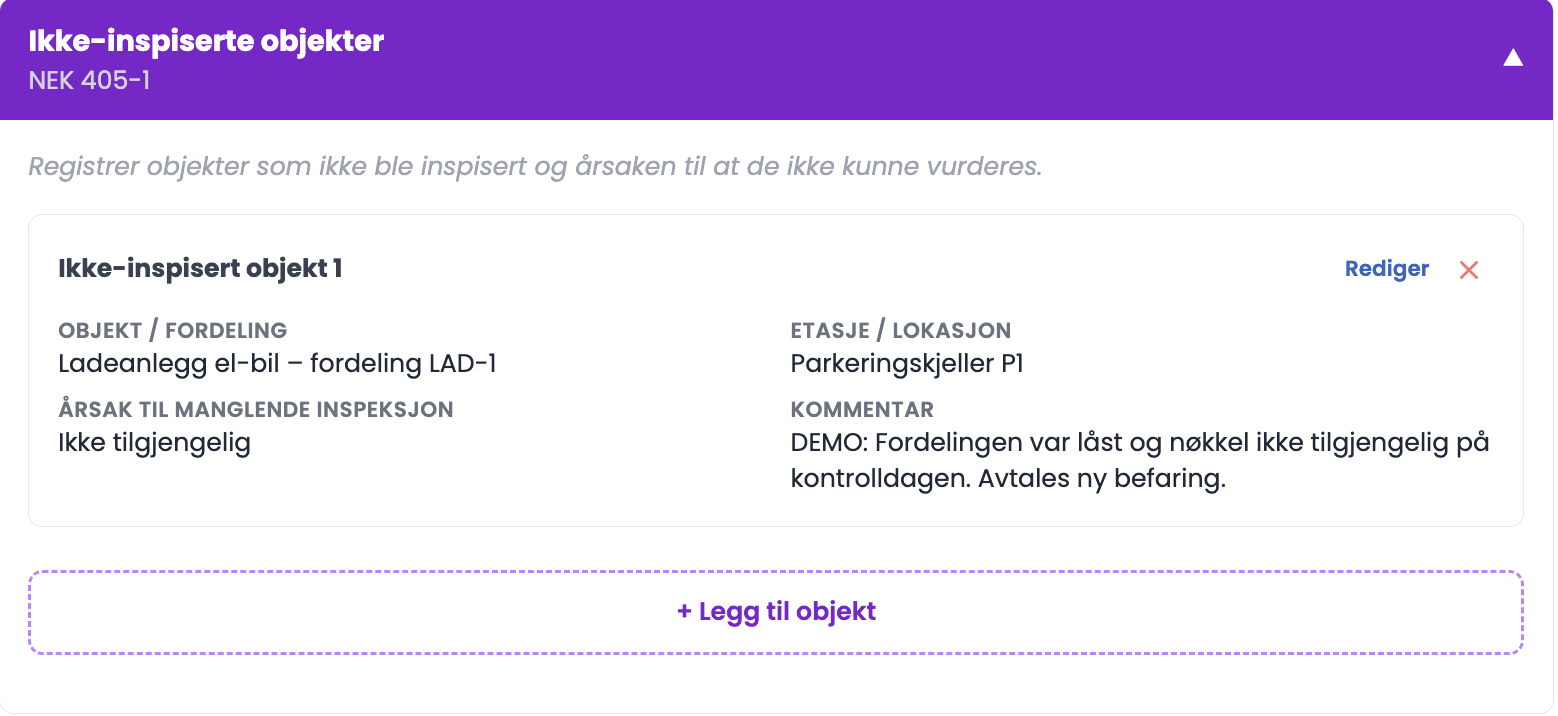
How to do it
- Click "+ Add object".
- Fill in the object/distribution board and floor/location.
- Choose the reason the object was not inspected.
- Write further details, attach files if relevant, and click "Save".
The reasons
- Not accessible
- Out of service
- Behind a cover / concealed
- No power available
- Safety risk prevented inspection
- Other
Good to know
- This section is for objects, that is distribution boards and parts of the installation. To mark a single inspection point as not assessed, use IU on the point itself instead.
- The list of reasons here is not quite the same as the IU reasons on the inspection points. Here it says "No power available", on the inspection points "No documentation available".
Tips
- Write what it would take for the object to be assessed. "The distribution board was locked and the key was not available on the day of the inspection. A new visit to be arranged" is useful for the owner. "Not accessible" on its own is not.
- If a lot could not be assessed, say so in the conclusion as well. The owner needs to understand that the report is partial.
- Arrange access in advance where you know there are locked rooms. It is cheaper than a second visit.
Will the owner see this?
Yes. The whole point of the section is that the report should show what has not been inspected, so that the owner can follow it up.