

The summary at the top of the inspection point section has six counters. Tap a counter to filter the list below. Here is what each one means and when to use it.
The six outcomes
| Grade | Name in the form | When to use it |
|---|---|---|
| TG0 | No deviations | The point was inspected and you found nothing to note. |
| TG1 | Minor observation | A minor deviation, or something the owner should know, with no requirement to remedy. |
| TG2 | Significant deviation | A significant deviation that must be remedied. Set a deadline. |
| TG3 | Critical — act now | A serious deviation. Immediate remedy is necessary. |
| IU | Not inspected | The point could not be assessed. Choose a reason from the list. |
| Does not apply | Excluded from the report | The part of the installation does not exist in this home. The point is hidden in the report. |
How the grade is set
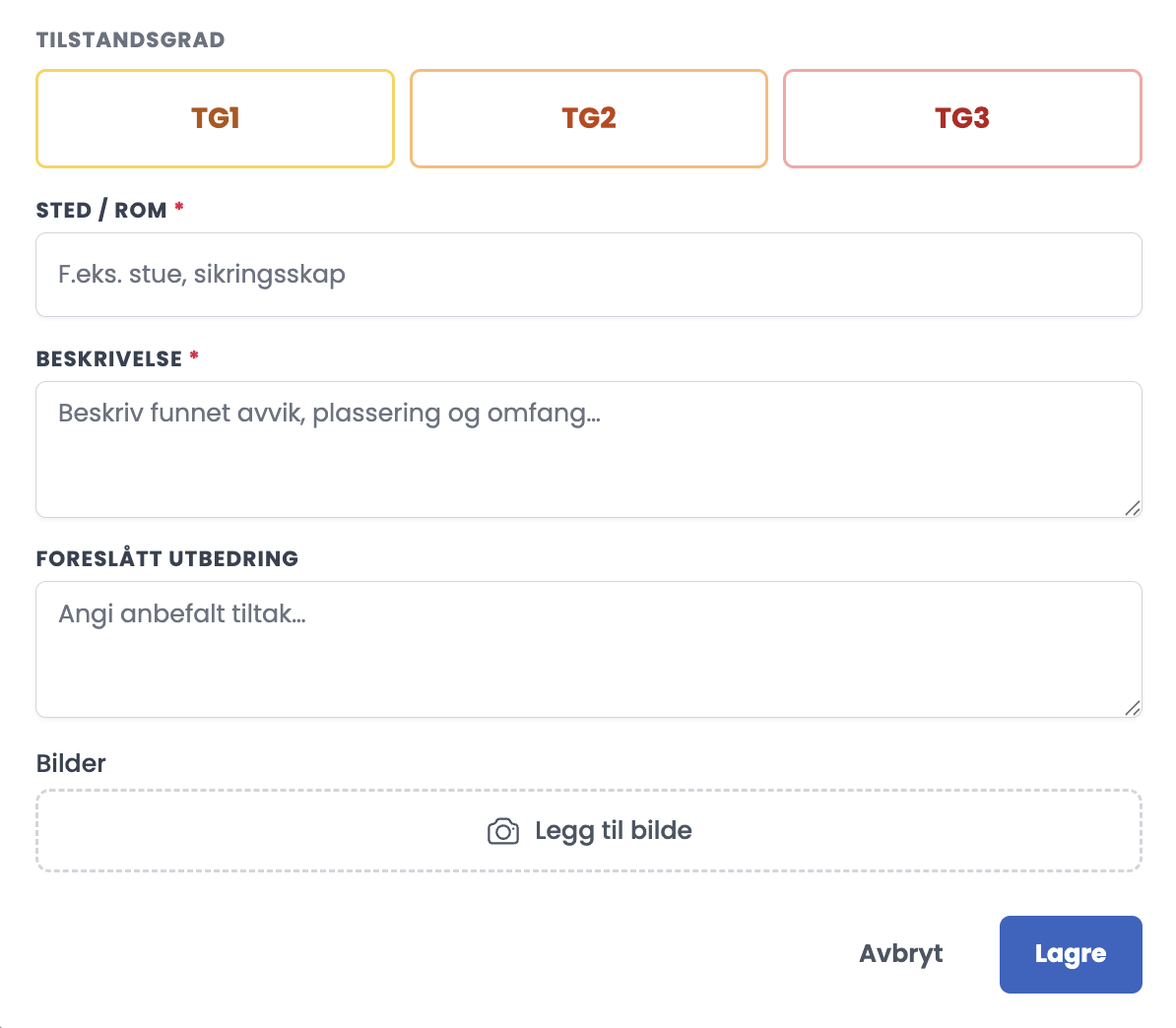
- Tap + Register on the point. You get four ways in: Register deviation, No deviation (TG0), Not inspected, and on the list itself Does not apply in this installation sits as its own button.
- If you choose Register deviation, you get only TG1, TG2 and TG3. TG0 is a separate route, not one of the buttons in the deviation dialog.
- Below the buttons, the guidance panel has a Remedy tab that suggests wording for TG2 and for TG3.
- If you choose Not inspected, you must give a reason: Not accessible, Out of service, Behind a cover / concealed, No documentation available, Safety risk prevented inspection, or Other (see comment).
Good to know
- All 18 inspection points must be assessed. NEK 405-2:2020 clause 8.1 states that the inspection points shall as a minimum comply with clause 8.2. That is a floor, not a menu, and there is no scope agreement of the kind that applies to commercial inspections.
- So a point with no registration is a gap in the report, not a choice. If the part of the installation does not exist, use Does not apply. If the point could not be assessed, use Not inspected with a reason.
- The grades are also used on registrations under Measurements. Both Register measurement and Register thermography offer TG0 to TG3, and there the grade is optional. Left open, the card shows as “Not graded”.
- TG1 is not used for thermography. This follows from NEK 405-1:2020 Table 3, which is the basis for grading thermography findings.
The deadlines in NEK 405-1:2020 Table 3
| Condition grade | Action |
|---|---|
| TG 0 | No need for action. Used at follow-up inspection. |
| TG 1 | Not used for thermography. |
| TG 2 | Shall be remedied as soon as possible and no later than within 1 month. |
| TG 3 | Immediate remedy is necessary. |
Tips
- Set the grade before you write the description. The guidance tabs Signs at TG2 and Signs at TG3 help you decide which one the finding belongs to.
- Write a deadline in Suggested remedy on every TG2. That is the line the customer acts on.
- Use Not inspected sparingly, and write a reason that holds up for the owner. The reason alone rarely explains enough.
- Filter on each grade in turn before you submit. It is faster than scrolling through all 18 points.
What is the difference between Not inspected and Does not apply?
Not inspected means the part of the installation exists but you could not reach it, for example because it is concealed, out of service or inaccessible. The point stays in the report with a reason. Does not apply means the part of the installation does not exist in this home at all, for example solar panels in a home without solar panels. The point is hidden in the report. Mix the two up and the report looks as if you skipped something.