

Each of the 18 points can be closed in four ways, and you choose the one that describes what you actually did.
The four options
| Option | When to use it | What is required |
|---|---|---|
| Register deviation (TG1, TG2 or TG3) | You found something | Condition grade, place or room, and description |
| No deviations (TG0) | The point has been inspected and everything is in order | Nothing. Place and comment are optional |
| Not inspected (IU) | The point could not be assessed | A reason from a list. Comment is optional |
| Not applicable to this installation | That part of the installation does not exist in the home | Nothing. The point is hidden in the report |
How to do it
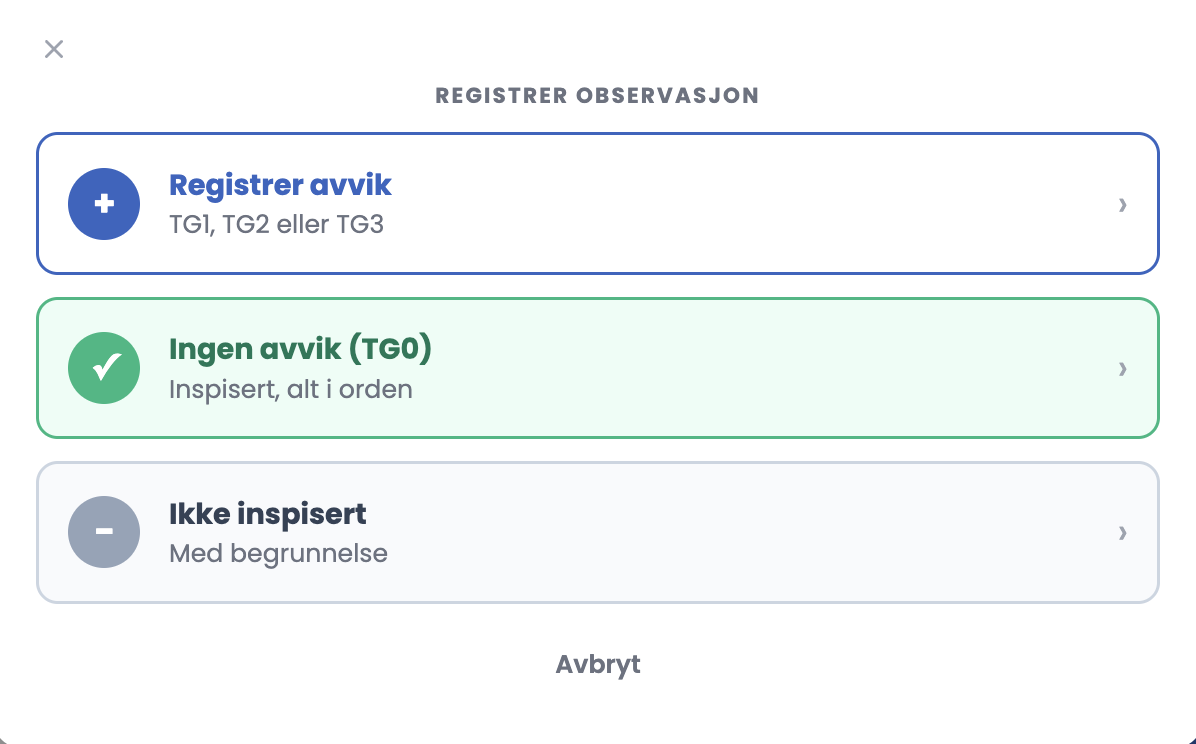
- Click “+ Register” on the point. You get a choice between the first three.
- If you choose “Register deviation (TG1, TG2 or TG3)”, you set the grade, the place and the description.
- If you choose “Not inspected (IU)”, you pick a reason from the list.
- “Not applicable to this installation” sits as its own button in the list, next to “+ Register”.
The reasons under “Not inspected (IU)”
- Not accessible
- Out of service
- Behind a cover or concealed
- No documentation available
- Safety risk prevented inspection
- Other, see comment
Good to know
- You can add several entries to the same inspection point. Click “+ Register” again.
- “Not applicable to this installation” takes effect immediately, without a confirmation dialog. The point collapses to a single line marked “Does not apply · Excluded from the report”, with an Undo link.
- The inspection covers all parts of the electrical installation connected to the home. Common areas such as stairwells, shared basements and shared garages are not part of the home.
Tips
- Use “No deviations (TG0)” actively. A point left empty looks forgotten, whereas TG0 documents that you actually inspected it.
- Use “Not inspected (IU)” rather than “Not applicable to this installation” when the part of the installation exists but you could not reach it. The two mean entirely different things to the customer.
- Write a comment on “Not inspected (IU)” even though it is optional. “Behind fixed fittings in the bathroom” says something. An empty comment does not.
I clicked “Not applicable to this installation” by mistake. What now?
Click Undo on the collapsed line, and the point opens again. There is no confirmation before the action is carried out, so it is worth checking the counter at the top before you submit. If fewer points are assessed than you expected, a point has probably been set to “Does not apply” without you meaning to.