

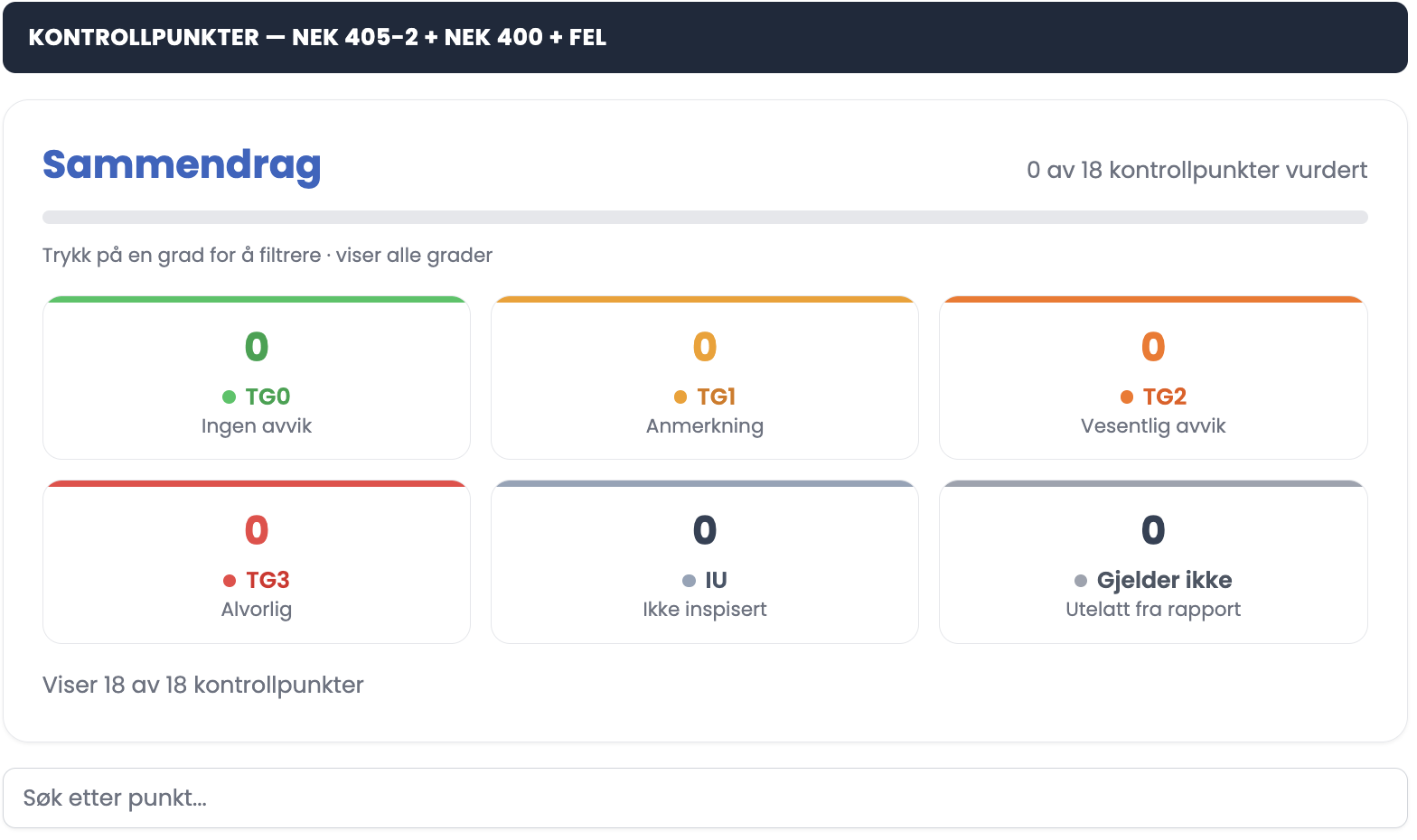
The inspection has 18 points, split between Distribution and The installation with nine points in each.
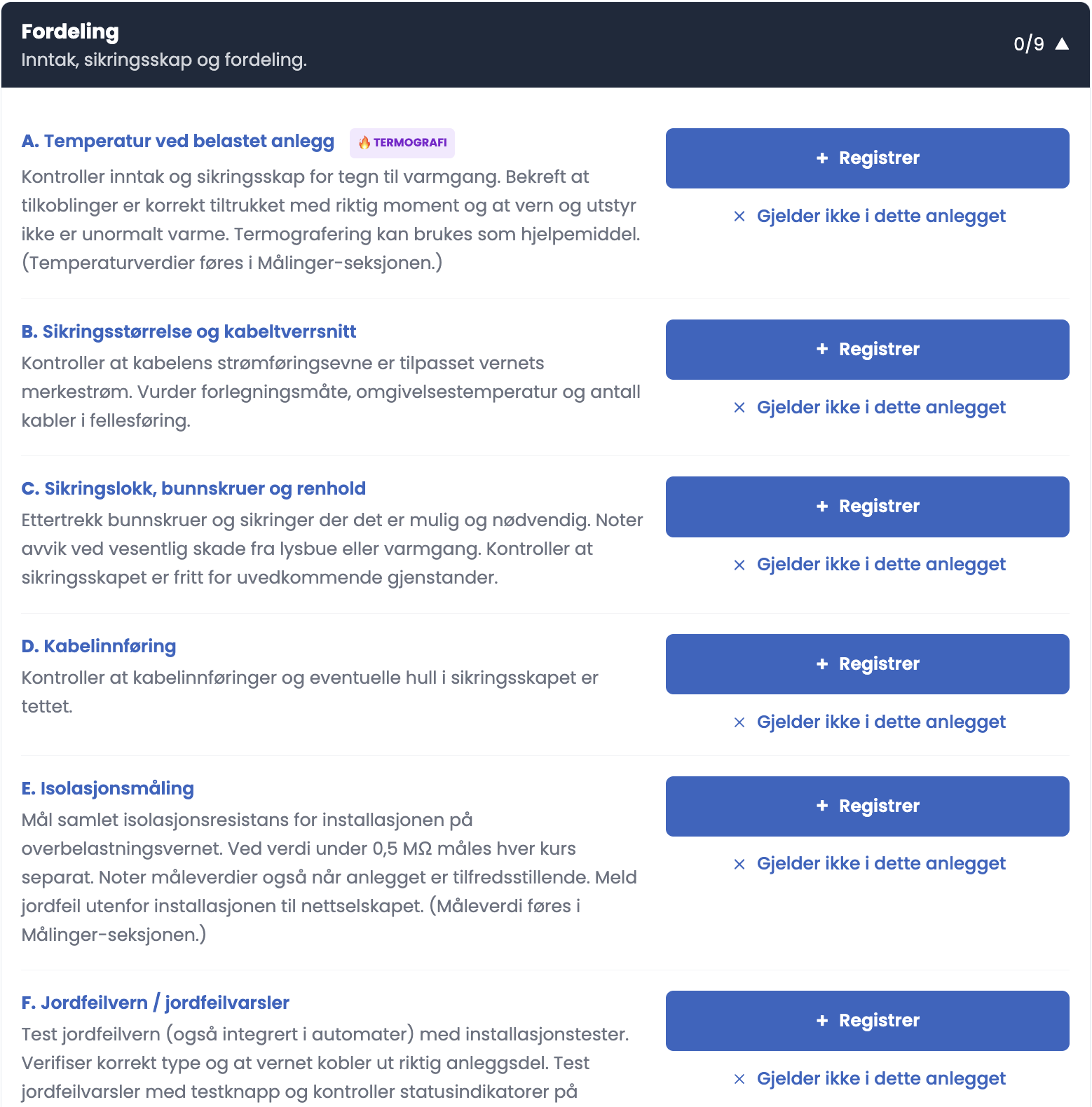
Distribution
Service entry, distribution board and distribution.
| A | Temperature under load — THERMOGRAPHY |
| B | Fuse rating and cable cross-section |
| C | Fuse covers, base screws and cleanliness |
| D | Cable entry |
| E | Insulation measurement |
| F | Earth fault protection / earth fault indicator |
| G | Arc fault protection (AFDD) |
| H | Surge protection |
| I | Earthing and bonding – cabinet |
The installation
| J | Earthing and bonding – installation |
| K | Heat in outlets, junction boxes, socket outlets, plugs, etc. — THERMOGRAPHY |
| L | Cables, wiring, fixed equipment and consumer equipment |
| M | Extra-low-voltage lighting |
| N | Smoke alarm function and test |
| O | Concealed heating |
| P | EV charging |
| Q | Solar (PV) installations — THERMOGRAPHY |
| R | Battery installations |
Good to know
- Points A, K and Q are marked THERMOGRAPHY. There you use a thermal imaging camera as part of the inspection.
- Each point has a description telling you what to look for. Click the point to read it.
- The summary at the top shows progress, for example “0 of 18 inspection points assessed”, and a counter per grade.
- Tap a grade to filter the inspection points below.
- The search field below the summary filters the points by text.
- The group heading shows its own counter, for example 9/9.
Tips
- Work through Distribution first, while you are standing at the distribution board. That takes A to I in one go.
- Use Search inspection points rather than scrolling when you remember a point you want to return to.
- Filter on TG2 and TG3 before you write the conclusion. That shows you what should actually be prioritised.
- After submission you can filter on grades and click “Download filtered PDF” to extract only the points you want to show.
How do I see that a point is finished?
Below the point it says “1 entry” with a colour-coded card: green for TG0, yellow for TG1, orange for TG2, red for TG3 and grey for IU. Each card has Edit, Delete and an arrow to expand it. If the point is set to “Does not apply”, it collapses to a single line.