

At the bottom of the inspection point section sits Information for owner/user. These are not inspection points but information points. You tick each one off once you have spoken to the owner or user about it.
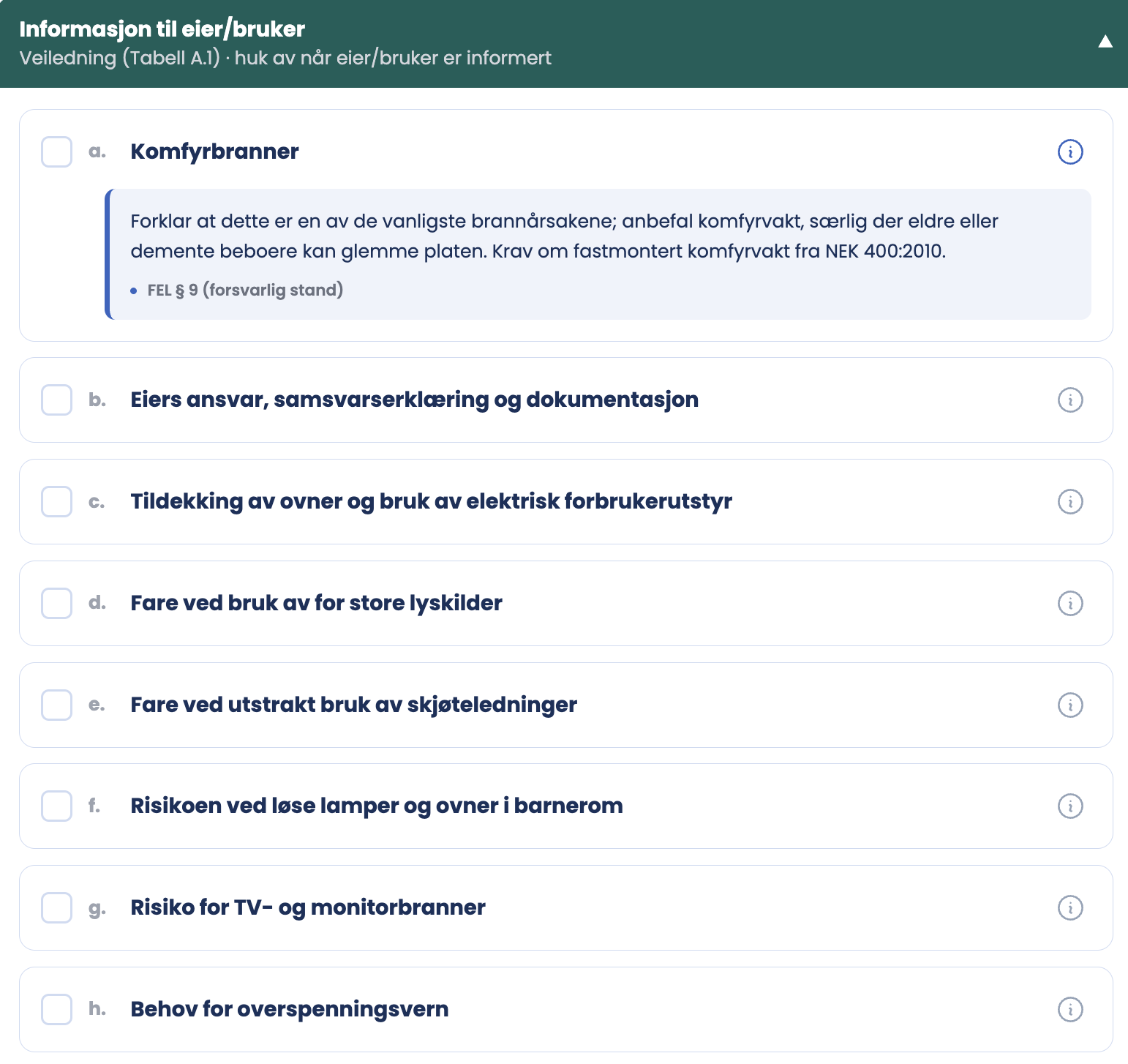
The 13 points
| Item | Information point |
|---|---|
| a | Cooker fires |
| b | The owner’s responsibility, declaration of conformity and documentation |
| c | Covering heaters, and use of electrical appliances |
| d | Risk of using light sources that are too powerful |
| e | Risk of extensive use of extension cords |
| f | The risk of loose lamps and heaters in children’s rooms |
| g | Risk of TV and monitor fires |
| h | The need for surge protection |
| i | The need for residual current protection / arc fault detection (AFDD) |
| j | Dry or brittle wiring |
| k | Expected lifetime and replacement of smoke alarms |
| o | Fire extinguishing equipment |
| l | Replacing batteries in smoke alarms |
How to use an item
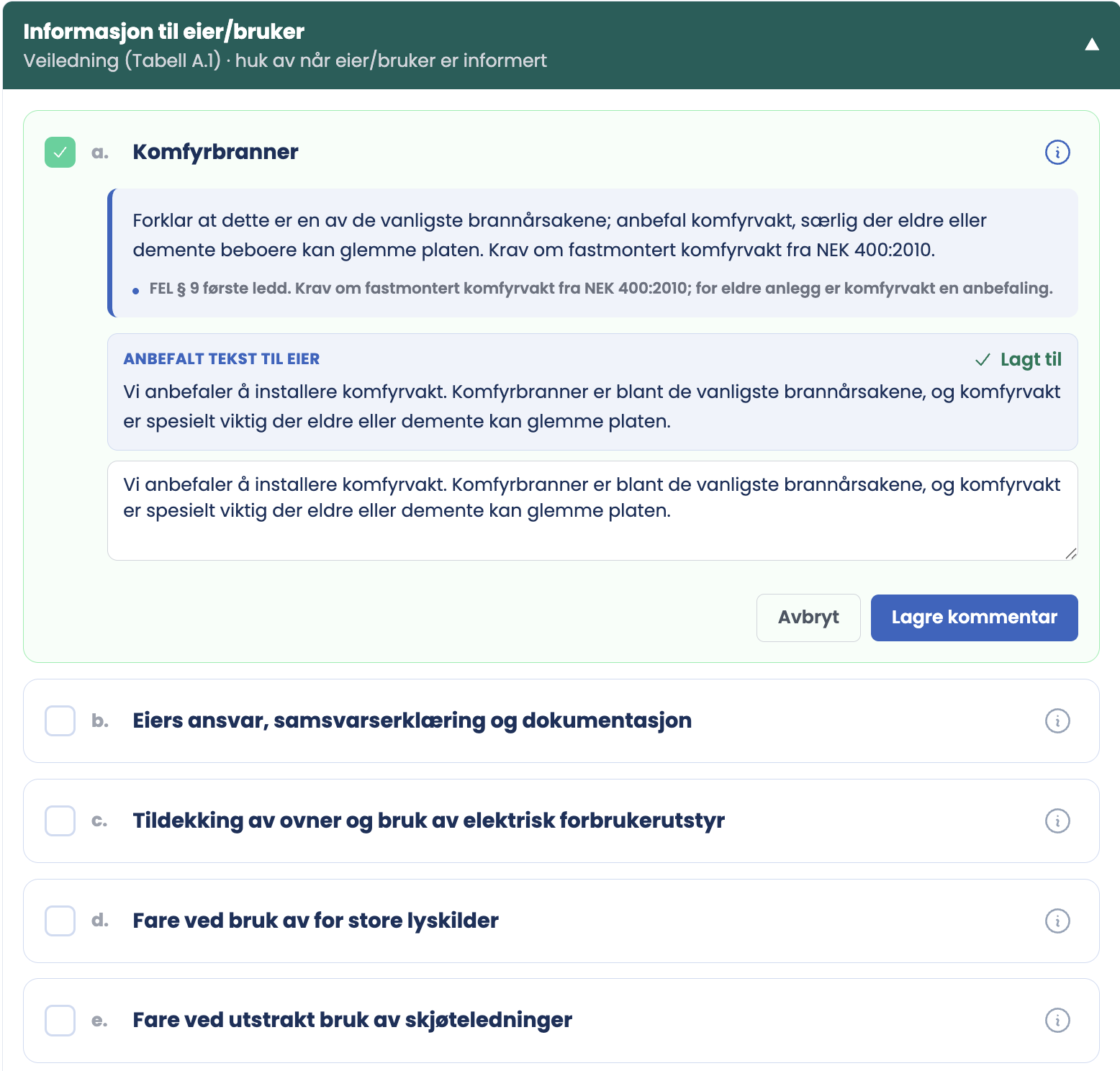
- Tap the i button to the right of the item. A guidance box opens with what to explain to the owner, and the legal basis below it, for example FEL section 9, first paragraph.
- Below it sits Recommended text for the owner, already written. Tap to insert it, and it shows as “Added”.
- The text lands in an editable field. You can rewrite it, shorten it, or add what you actually said.
- Finish with Save comment. The item is then ticked, and the comment travels with the report.
The lettering jumps from k to o and then to l. This is not an error in the form. NEK 405-2:2020 clause 8.3 has the same order, and m and n do not exist in the standard. The form reproduces the list as printed.
Good to know
- Each item has an i button on the right. It opens guidance text with the legal basis, for example under Cooker fires: the requirement for a fixed cooker guard from NEK 400:2010, with FEL section 9 on safe condition. Use it when you explain the item to the owner.
- The information points are part of the methodology, not an add-on. NEK 405-2:2020 clause 8.1 states that both inspection points and information points shall as a minimum comply with clauses 8.2 and 8.3.
- These points are not graded. There is no condition grade here, but you can leave a comment on each item, and it stays in the report.
- The tick is documentation that the conversation took place. If nothing is ticked, the report says the owner was not informed.
- If the owner is not present during the inspection, the information must be given another way, and the conclusion should say how.
Tips
- Have the conversation as you walk through the home. The points relate to what you are looking at, and they become concrete when you can point.
- Point b is the most important one for the owner to understand. That is where responsibility sits once you have left.
- Points k and l concern the same equipment but different things: lifetime and battery. Take them together.
- Tick as you go, not at the end. Otherwise you end up ticking from memory.
What if a point is not relevant?
The information points concern behaviour and responsibility rather than parts of the installation, so they are relevant in almost every home. If a point genuinely makes no sense for a particular home, leave it open and explain it in the comment field or in the summary. There is no “does not apply” for the information points.