

The customer is invited as an observer on the contract automatically when the contract is activated. The invitation goes to the e-mail address you entered for the client in the setup form. This applies to both agreement types, service contract as well as assignment confirmation.
Important
So you do not have to remember to invite the customer. What you do have to get right is the e-mail address before you activate the contract. That address is what decides who gets access.
If the owner and the client are two different parties, or someone else needs access, you can add them on the contract afterwards. That happens in two steps, and it's important to understand the distinction: Step 1 – platform level: You create the person as an external user on the company. They then exist in your system. Step 2 – contract level: You link the external user to this specific contract. Only then do they see the job. So a user can exist on the platform without being linked to a particular contract – which is why both steps are needed.
Step 1 – create the external user
- Go to "Companies" in the menu.
- Click the company name (choose the right company if you have several).
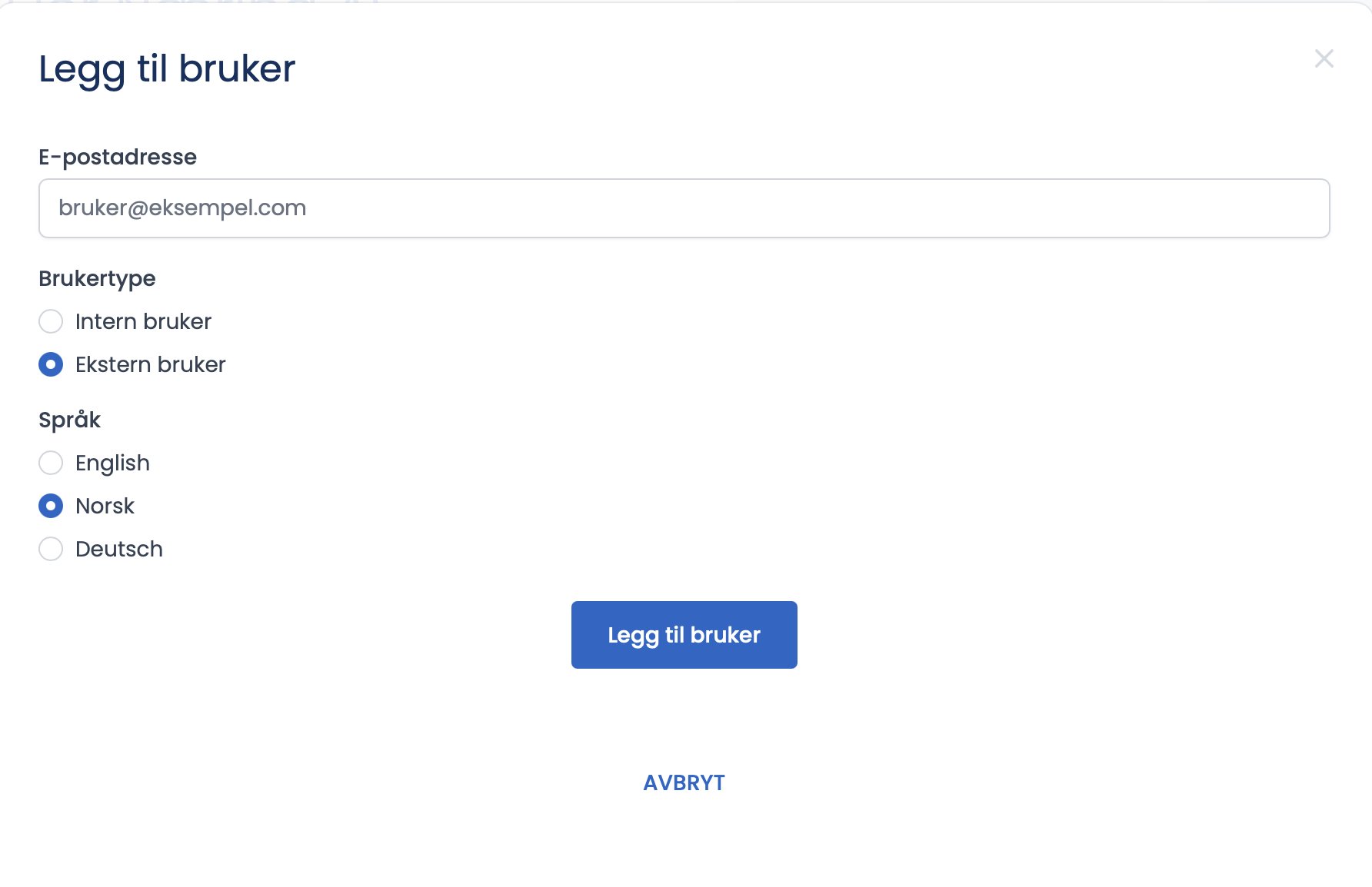
- Click "+ Add user".
- Enter the owner's email address.
- Choose user type "External user".
- Choose language and click "Add user".
- The owner receives an email and registers as a user (the same registration flow as everyone else).
Step 2 – link the observer to the contract
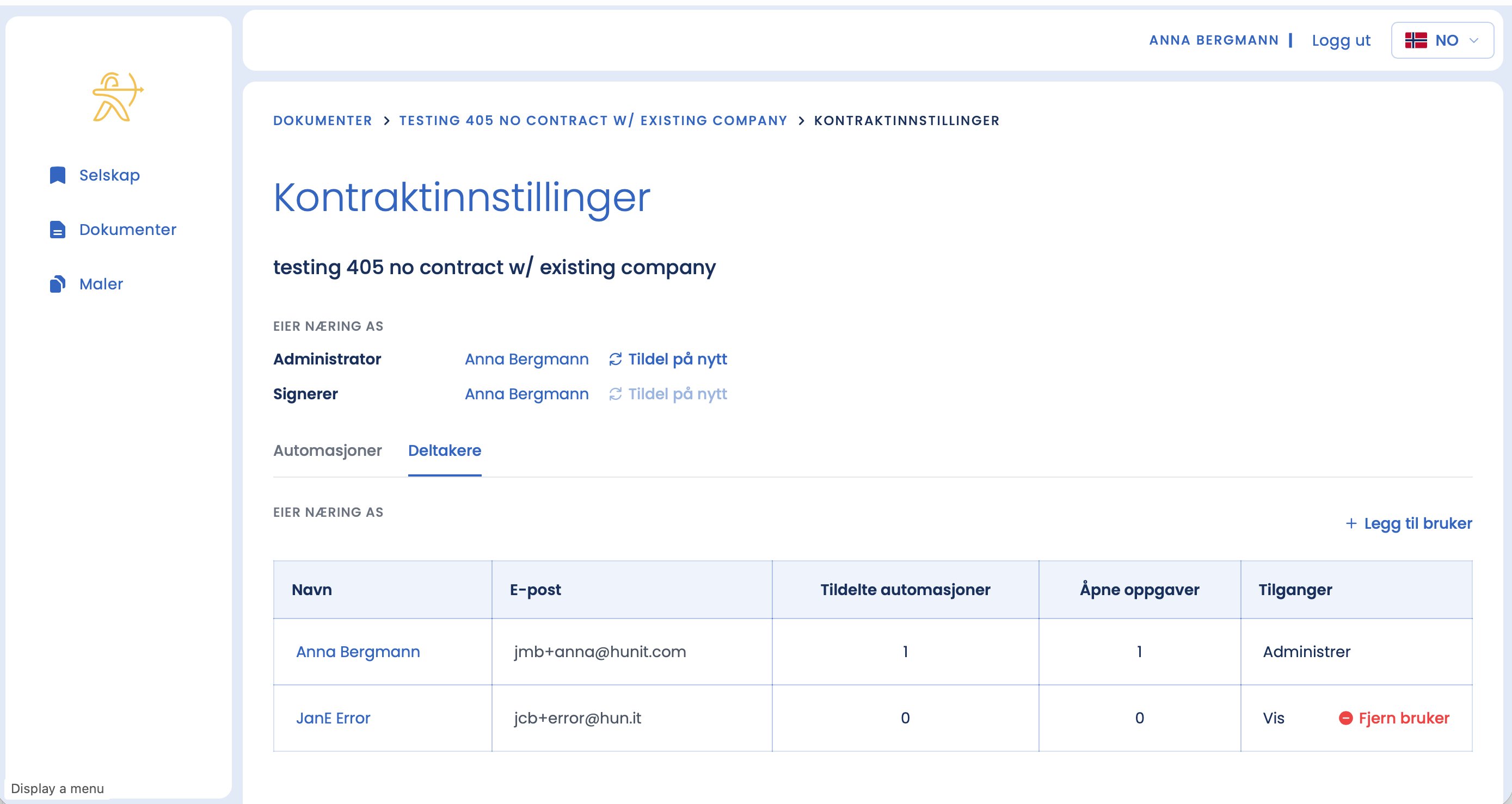
- Go to the contract's dashboard.
- Click "Contract settings".
- Choose the "Participants" tab.
- Click "+ Add user".
- Choose the external user you created. The observer gets the "View" access level.
Good to know
- The report becomes available to all parties to the contract, as well as observers and other external parties the parties invite in. All changes to contract access are logged automatically for traceability.
Tip
Wait with step 2 until the owner has actually registered in step 1. Then they appear as a selectable participant.
Removing an observer
Under "Participants" you can at any time click "Remove user" next to an external participant. They then lose access to the contract, but still exist on the platform as an external user.
What's the difference between the two "Add user" buttons?
The button under "Companies" adds a user to the platform (your company). The button under "Contract settings → Participants" links an already-created user to this one contract.