

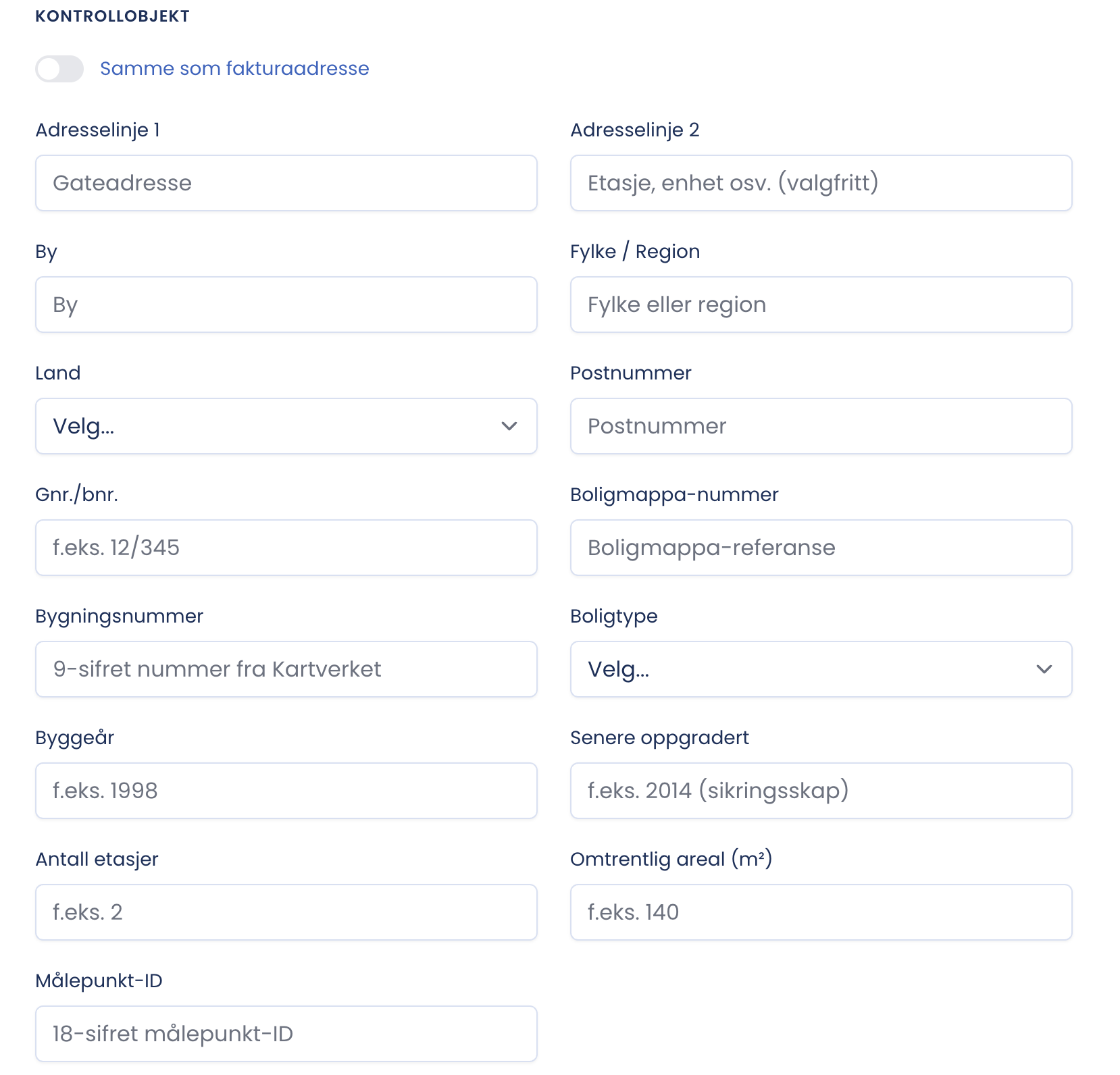
Here you describe the building that is actually to be inspected.
Same as invoice address
At the top there is a toggle. Turn it on and the client’s address is copied down to the inspection object. Leave it off when the building is somewhere other than where the owner is registered, for example when the owner has a c/o address with a property manager.
The identification fields
- Building name, internal or official, makes the document easier to recognise.
- Building number, nine digits from the Norwegian Mapping Authority, unique identification in the cadastre.
- Cadastral unit/property number, for example 12/345. Together with the building number this ties the inspection to the right property.
- Building type, for example office, shop, warehouse. Affects how the inspection is assessed in practice.
- Number of floors and approximate area in square metres. Gives the scope of the inspection, and is useful for time estimates and pricing towards the client.
- Special conditions / remarks, free text for anything that deviates.
What belongs under Special conditions?
Production premises, explosion-hazard areas, restricted access, operating hours, security clearance and the like. Anything that makes the assignment different from a standard one.
Tip
The fields in this section are not marked mandatory, but the more that is filled in, the more complete the report becomes, and the less has to be sent afterwards. Check that the address is the building’s, not the property manager’s postal address. That is the most common mistake in this section.